


B-hyve
4.612.31K Reviews
App Specs
- Version
- 3.0.58
- Updated On
- License
- Free
- Downloads
- 1,000,000+
- Developer
- B-hyve
- Categories
- House & Home
- Platform
- Android
Screenshots
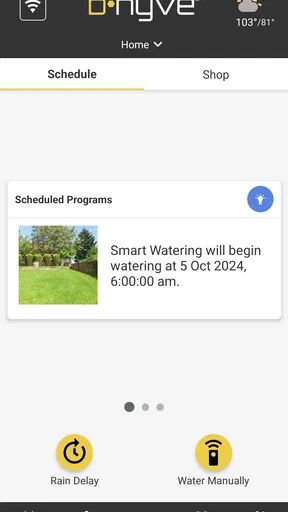
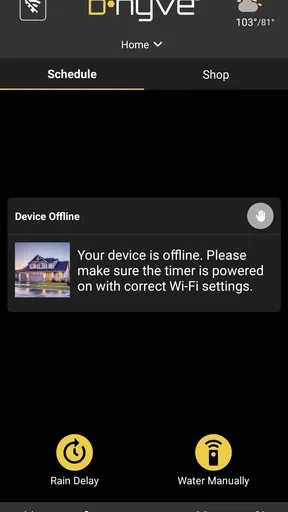
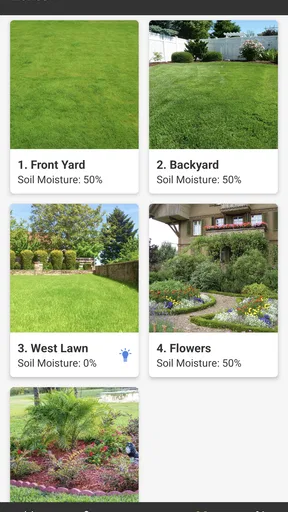
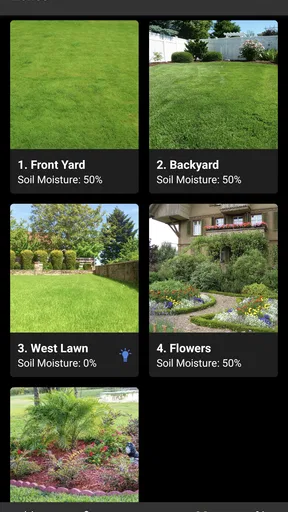
 Analysis by AppCompare
I judge a sprinkler-control app less by how many buttons it offers than by whether it makes watering easier to manage without turning a simple garden routine into a technology project. That is the choice I would keep in mind with B-hyve: it is a free House & Home app from developer B-hyve, built around controlling compatible irrigation through a phone. Its appeal depends on having an irrigation setup to manage; it is not a substitute for a hose, a watering can, or the hands-on care of plants.
The app has a 4.6 average from around 83,000 ratings, and more than a million installs. Those figures suggest it has found an audience, but I would make my decision based on fit rather than popularity. If you already use a compatible sprinkler system and want a way to manage watering schedules remotely, it is a more relevant option than a general gardening app. If you do not have equipment to connect, its central purpose may not help much.
Start with the garden and the equipment
Before setting it up, I would think about what I actually need automated: a lawn, planted beds, or several areas with different watering needs. The useful question is not simply whether I want “smart” watering, but whether I want to keep track of irrigation regularly and adjust it when conditions change. A set-and-forget routine may suit a straightforward garden; a more varied yard can benefit from having schedules and controls in one place.
It also helps to be realistic about what an app can do. A schedule cannot make a poorly placed sprinkler cover a dry patch, and a phone cannot tell me whether every plant is thriving just by showing watering information. I still need to check the soil and look at the garden. I see the app as a way to handle the routine and make adjustments easier, not as a replacement for observation.
For a renter, someone with a small balcony, or anyone who waters a few pots by hand, a manual routine may be simpler. The same is true if setting up connected equipment feels like more work than remembering to turn on a sprinkler. This is a practical distinction: the app’s value comes from managing irrigation, so I would first make sure that is a real need in my home.
Where the app earns its place
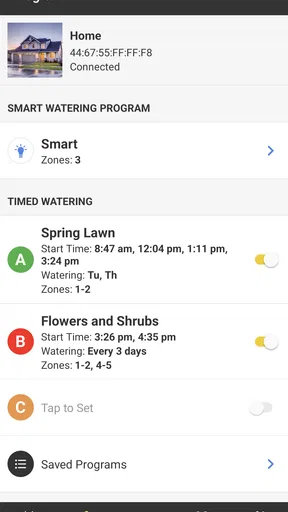
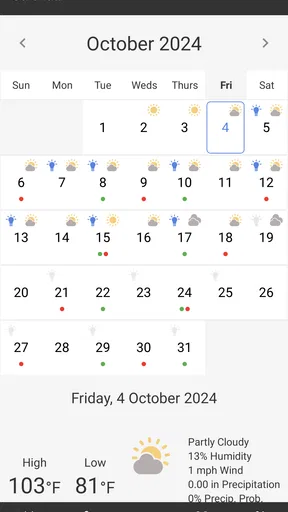
Its strongest case is the combination of schedule control and weather-aware adjustments described in my experience. Instead of treating every watering day as identical, I can use the app to manage a routine and respond when rain is expected. That can be particularly handy when I am away from home or when the weather changes after I have already planned the week.
A useful habit is to review the schedule after a stretch of rain or unusually dry weather rather than assuming one setting will suit every week. I would also pay attention to how separate areas of the garden behave: grass, established shrubs, and newly planted beds do not necessarily need the same routine. The app helps organize irrigation, but good results still depend on choosing sensible schedules and checking how the garden responds.
Worth Reading Before You Choose

EA SPORTS FC Mobile 26 Is a Bigger Football Game, but It Takes Time

Flipboard Shows What News Apps Must Do Beyond the Feed

Switching to Android Auto Means Rethinking Your Driving Routine

Google Calendar Makes a Crowded Week Easier to Manage

Ludo King Makes the Most of the Minutes Between Plans

Baby Panda World Brings Quick Play to Modern Phones, but Its Game Library Feels Busy
Voice control can make a quick pause or start more convenient when I am busy, while water-use reports give me a way to notice patterns in consumption. I would treat those reports as a prompt to review the setup, not a promise that my bill will automatically fall. The practical benefit is having information and controls together, so I can make a deliberate adjustment instead of guessing or forgetting.
When another approach makes more sense
Compared with a basic timer, app-based control is most useful when I want to make changes without going out to the controller or when weather and changing plans matter to my routine. A simple timer can be perfectly adequate for a small, predictable setup, especially if I rarely change the schedule. The phone interface earns its keep when remote access and easier adjustments matter more than keeping the system as simple as possible.
Compared with hand watering, automated irrigation can reduce the number of daily tasks, but it also asks me to trust and maintain a schedule. Hand watering remains the better fit when I want to inspect each pot, target individual plants, or avoid installing and configuring sprinkler equipment. For gardens with very different zones, I would be careful not to assume that one broad schedule will suit every corner; I would check coverage and plant response rather than relying on automation alone.
There is also a setup trade-off. Connecting an app to an irrigation system means the initial configuration and any later changes become part of the routine. Someone who prefers physical controls, does not want to manage a phone account, or has unreliable home connectivity may prefer a simpler controller. I would choose the app for convenience, not because every garden needs an internet-connected layer.
Living with the routine
A realistic example is leaving for a weekend while the weather forecast changes. Rather than asking a neighbor to follow a fixed watering plan, I can check the schedule and use the available controls to respond. When I return, I can look at the garden and decide whether the routine still makes sense. That combination—remote management plus a real-world check—is more useful than assuming the app can make every decision for me.
I would also make changes gradually. If a bed looks dry, I would first check whether the sprinkler reaches it properly and whether the soil is holding moisture before extending watering across the whole yard. If a forecast prompts a pause, I would review the next planned run afterward so a temporary adjustment does not leave me uncertain about the ongoing routine. These small checks help avoid treating automation as an all-or-nothing switch.
For someone sharing responsibility for a garden, it is worth agreeing on who changes schedules and who checks the plants. A clear routine avoids one person pausing watering while another expects it to run. That is not a special feature; it is simply a sensible way to use a control system that can affect the same garden from a phone.
Setting Up My Smart Garden
First things first, getting started with the app was a breeze. After downloading it from the app store, I simply connected it to my existing Wi-Fi network, and voilà, I was in. The app guides you through the process step-by-step, so even if tech isn’t your strong suit, you won’t get lost. It’s super intuitive.
One thing I really appreciated was the quick setup process. It took me, like, ten minutes tops to get everything running. Once connected, the app prompted me to add information about my garden, including plant types, soil composition, and sun exposure. It felt like I was setting up a profile for my garden!
Exploring the Features
Now, let’s dive into the features. The app’s dashboard is neat and tidy, showing you everything at a glance. From soil moisture levels to weather forecasts, it’s all there. The real magic, though, lies in the customizable watering schedules. You can set up specific times and durations for watering, or even let the app decide based on weather predictions.
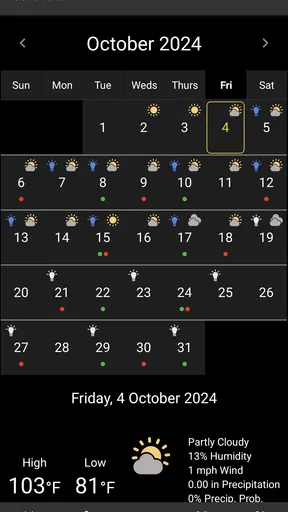
The weather integration is something I found particularly impressive. It pulls real-time data to adjust watering schedules, ensuring that you’re not over or under-watering. It even sends alerts when a storm is coming, so you can pause the irrigation if needed. Pretty smart, right?
Hands-Free Gardening
One of the coolest aspects is the voice control feature. I linked my account with Alexa, and now I can just ask her to start or stop watering. It's like having a personal assistant for my garden. Talk about living in the future!
Another feature that caught my eye was the water usage reports. It breaks down the amount of water used, helping you keep track of your consumption. Not only does this save water, but it also saves on your water bill. And who doesn’t like saving a few bucks?
My Experience with the App
Using the B-hyve app has been a delightful experience overall. It’s user-friendly, packed with features, and genuinely makes garden maintenance easier. I love that it takes the guesswork out of watering. I can’t tell you how many times I’ve forgotten to water my plants, only to find them looking sad and droopy. This app has definitely helped keep my plants happy and healthy.
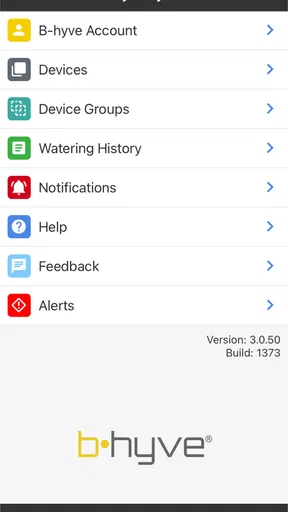
In terms of performance, the app is smooth and responsive. I haven’t faced any crashes or bugs, which is always a plus. The interface is clean, and the navigation is straightforward, making it accessible even for those who might not be tech-savvy.
Choosing it for your own home
The app is free, rated for Everyone, and currently at version 3.0.53, with support for Android 7.0 and later. That makes trying the software a low-cost decision, but it does not remove the practical question of whether you have irrigation equipment that fits your needs. I would check the controller and system you plan to use before building a garden routine around phone control.
When moving from a manual timer or an older routine, I would avoid changing every setting at once. First, note when the current system waters, then adjust one part and observe the garden. That makes it easier to tell whether a change helped or whether a dry or soggy area is really a coverage issue. Keeping a simple record of what you changed can also help if you need to restore a familiar schedule.
The main friction is that a connected system has more pieces to keep in mind than a basic timer: the phone app, the home connection, the controller, and the irrigation itself. If one part is not set up as expected, the convenience can feel less effortless. I would keep a practical fallback in mind for an important watering period and check that the system is actually operating after a schedule change, especially before leaving town.
On iOS or Android, the key decision is still the same: do you want a phone-based way to manage a sprinkler system, or would a fixed timer and occasional manual check be enough? I would choose the app when I expect to make adjustments, value remote access, or want weather-related help with a regular watering routine. I would skip it when my garden is mostly pots, I enjoy watering by hand, or the setup work outweighs the convenience I expect to gain.
Final Thoughts
All in all, I’d say the B-hyve app is worth checking out if you’re into smart home gadgets or looking to make your gardening routine more efficient. With its smart scheduling, weather adaptation, and water-saving capabilities, it stands out as a top-notch irrigation solution.
Whether you’re a green thumb or just starting your gardening journey, this app has something to offer. It’s like having a little garden concierge in your pocket, ready to help make your garden thrive. Give it a shot, and you might just find yourself spending less time worrying about your plants and more time enjoying them.
Pros
- User-friendly interface for easy navigation.
- Customizable scheduling options available.
- Weather-based smart watering system.
- Water usage reports to track savings.
- Integrates with smart home devices.
Cons
- Initial setup can be time-consuming.
- Requires consistent Wi-Fi connection.
- Limited offline functionality.
- Some features require premium upgrade.
- Occasional syncing issues reported.
FAQs for B-hyve
What is the B-hyve app used for?
The B-hyve app is designed to help users efficiently manage their irrigation systems. It provides features such as smart scheduling, weather-based adjustments, and remote control of your sprinkler system. By using this app, you can optimize water usage, ensure your lawn and garden are adequately watered, and potentially reduce your water bill.
Is the B-hyve app compatible with all irrigation systems?
The B-hyve app is primarily compatible with Orbit's B-hyve smart controllers. However, it may work with other systems if they support Wi-Fi connectivity and smart integration. It's crucial to check the compatibility of your existing irrigation system with B-hyve before downloading to ensure seamless operation.
Does the B-hyve app require a subscription to access all features?
No, the B-hyve app does not require a subscription. All essential features, such as weather-based scheduling and remote access, are available for free. This makes it an attractive option for users seeking a cost-effective solution for smart irrigation management.
Can the B-hyve app adjust watering schedules based on weather conditions?
Yes, one of the standout features of the B-hyve app is its ability to adjust watering schedules based on real-time weather data. By connecting to local weather forecasts, the app can automatically skip watering on rainy days or adjust the schedule for optimal water usage during varied weather conditions.
How user-friendly is the B-hyve app for beginners?
The B-hyve app boasts an intuitive interface designed to be user-friendly, even for beginners. The setup process is straightforward, with guided instructions to help users connect their devices. Once installed, the app provides easy navigation through its features, making it accessible for all levels of tech-savviness.


